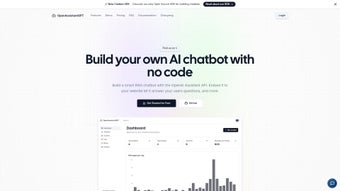

Download OpenAssistantGPT – Open‑Source Custom Chatbot Builder for Websites
What Is OpenAssistantGPT? – A Comprehensive Overview
OpenAssistantGPT is an open‑source web application that empowers anyone—from solo entrepreneurs to large enterprises—to create their own intelligent chatbot powered by OpenAI’s cutting‑edge Assistant models. Unlike generic chatbot widgets that rely on pre‑written scripts, OpenAssistantGPT lets you feed a URL, let the platform crawl the site, and instantly generate a conversational agent that understands the context of your pages, products, and support articles. The solution runs in the cloud, but you keep full control over your data because the service works with your own OpenAI API key, meaning billing is handled directly by OpenAI and no hidden fees appear on your invoice.
The platform is built with a modular architecture that supports seamless integration into the most popular website builders: WordPress, Shopify, Squarespace, Wix, and even custom HTML sites. Whether you need a sales‑assistant for an e‑commerce store, a help‑desk bot for a SaaS dashboard, or a knowledge‑base companion for a corporate intranet, OpenAssistantGPT scales to fit the use‑case. Its subscription model is tiered—personal, team, and enterprise plans—so you only pay for the capacity you need, while the open‑source nature encourages community contributions, custom plug‑ins, and rapid feature evolution on GitHub. In short, OpenAssistantGPT delivers the power of GPT‑4 and GPT‑3.5 in a low‑cost, low‑code package that can be deployed in minutes rather than weeks.
For developers who crave deeper control, the source code is publicly available, allowing you to host the service on your own server, add proprietary data sources, or extend the UI with additional analytics dashboards. For marketers, the no‑code wizard guides you through the entire setup, from selecting a model version to configuring the chat window’s appearance. This blend of flexibility and simplicity makes OpenAssistantGPT a rare “best of both worlds” solution in the crowded chatbot market, offering a secure, customizable, and future‑proof tool for anyone who wants to turn website content into a conversational experience.
Key Features and Step‑by‑Step Installation Guide
Feature Highlights
- URL‑Based Knowledge Extraction: Provide a single website URL and let the crawler build a knowledge graph for the bot.
- GPT‑4 & GPT‑3.5 Engines: Choose the model that matches your performance and cost requirements.
- One‑Click Integration: Pre‑built plugins for WordPress, Shopify, Squarespace, and Wix.
- Custom API Key Management: Use your own OpenAI API key; billing stays with OpenAI.
- Open‑Source Core: Full source code on GitHub for self‑hosting and community extensions.
- Multi‑Plan Subscription: Personal, Team, and Enterprise tiers with scalable token limits.
- Data Privacy Controls: All crawled content resides in your account; no third‑party data harvesting.
- Responsive Chat Widget: Mobile‑friendly UI that matches your site’s branding.
- Analytics Dashboard: Track usage, token consumption, and user satisfaction metrics.
- Multi‑Language Support: Leverage GPT‑4’s multilingual capabilities out of the box.
Installation & First‑Time Use
Getting OpenAssistantGPT up and running is intentionally straightforward. Follow these steps to launch your first chatbot in under 30 minutes, even if you have no programming background:
- Create an OpenAI Account: If you don’t already have one, sign up at platform.openai.com and generate an API key. This key will be the sole source of billing for token usage.
- Register on OpenAssistantGPT: Visit the official site, register with your email, and paste the API key into the secure “API Settings” page. The platform validates the key instantly.
- Select a Subscription Tier: Pick the plan that fits your projected traffic. The personal tier starts at a modest monthly fee, while the enterprise tier offers custom SLAs and dedicated support.
- Enter Your Website URL: In the “Create Bot” wizard, input the primary URL of the site you want the bot to learn from. The crawler runs asynchronously, indexing pages, extracting headings, FAQs, and product details.
- Choose a Model: For high‑stakes conversations (e.g., sales), select GPT‑4; for routine help‑desk queries, GPT‑3.5 provides a cost‑effective alternative.
- Configure the Chat Widget: Choose colors, greeting messages, and placement (bottom‑right corner is default). You can also upload a custom avatar to reinforce brand identity.
- Deploy the Integration Code: After saving, the platform generates a short JavaScript snippet. Copy this snippet and paste it into the
orof your website, or use the dedicated plugin for your CMS (WordPress, Shopify, etc.). - Test and Iterate: Open your site in a private window, interact with the bot, and fine‑tune prompts or knowledge sources via the dashboard. The real‑time analytics help you spot gaps and improve responses.
- Optional Self‑Hosting: If you prefer full control, clone the GitHub repository, spin up the Docker container on a Linux server, and point it to your own OpenAI API key. This route eliminates recurring SaaS fees while keeping all data on your infrastructure.
Whether you choose the hosted SaaS route or a self‑hosted deployment, OpenAssistantGPT offers a clear path from concept to live chatbot, backed by thorough documentation, community forums, and step‑by‑step video tutorials that make the entire experience feel like a guided tour rather than a technical challenge.
Compatibility, Pricing Structure, and an Honest Look at Pros & Cons
Operating System Compatibility
OpenAssistantGPT is a cloud‑based web service, so it works on any device that can run a modern browser—Windows 10/11, macOS Ventura and later, Linux distributions, as well as mobile platforms like Android 8+ and iOS 13+. The admin dashboard adapts responsively, allowing you to manage bots from a laptop or a tablet. For self‑hosted installations, the Docker image supports Linux (Ubuntu, Debian, CentOS) and can be run on Windows Subsystem for Linux (WSL) or macOS using Docker Desktop. This broad compatibility ensures that teams with mixed environments can collaborate without friction, and developers can choose the OS they are most comfortable with for local testing or production deployment.
Pricing Overview
While the core software is free and open‑source, the subscription tiers cover hosting, maintenance, and premium features such as advanced analytics and priority support. The pricing model is transparent and designed to scale with your needs:
- Personal Plan: $19 /month – includes up to 100,000 tokens, single‑site deployment, and community support.
- Team Plan: $49 /month – supports up to 5 sites, 500,000 tokens, team member access, and email support.
- Enterprise Plan: Custom pricing – unlimited tokens, multi‑region hosting, SLA guarantees, dedicated account manager, and white‑label options.
Because billing for OpenAI usage is separate, you only pay for the tokens the bot actually consumes, making the total cost predictable. The open‑source license also allows you to self‑host for free if you have the infrastructure and want to eliminate recurring SaaS fees entirely, giving you full control over both cost and data residency.
Pros and Cons
- Pros
- Rapid, no‑code chatbot creation from a single URL.
- Access to GPT‑4 for high‑quality, context‑aware responses.
- Open‑source core enables self‑hosting and custom extensions.
- One‑click plugins for the most popular website builders.
- Transparent token‑based billing via your own OpenAI API key.
- Responsive design works across Windows, macOS, Android, and iOS.
- Comprehensive analytics dashboard for continuous improvement.
- Strong community support on GitHub and a public roadmap.
- Data stays in your account—no third‑party data harvesting.
- Multi‑language capability out of the box with GPT‑4.
- Cons
- Initial crawling may take time for large sites with deep hierarchies.
- Advanced customizations require familiarity with Docker or Node.js.
- Token costs can rise quickly for high‑traffic sites if not monitored.
- Reliance on OpenAI API means service availability is tied to OpenAI’s uptime.
- Limited offline mode—requires an internet connection for model inference.
Frequently Asked Questions about OpenAssistantGPT
How does OpenAssistantGPT learn from my website?
When you provide a URL, the platform launches a crawler that visits each public page, extracts headings, paragraphs, tables, and structured data such as schema.org markup. This information is stored in a lightweight knowledge graph that the GPT model queries at runtime, allowing the bot to answer questions with context‑specific details (e.g., product specs, pricing, or support policies). You can also upload additional CSV or JSON files to enrich the knowledge base.Do I need an OpenAI account to use OpenAssistantGPT?
Yes. OpenAssistantGPT does not host its own language model; instead, it forwards requests to OpenAI’s API. By entering your personal API key, you retain full control over billing and usage limits. This approach also ensures that you benefit from the latest model improvements without waiting for a platform update.Can I host OpenAssistantGPT on my own server?
Absolutely. The entire codebase is available under an MIT license on GitHub. You can clone the repository, run the Docker container, and point it to your own OpenAI API key. Self‑hosting eliminates SaaS fees and gives you full control over data residency and network security policies.What is the difference between the Personal and Team plans?
The Personal plan is designed for a single website and includes up to 100,000 tokens per month, ideal for freelancers or small businesses. The Team plan expands capacity to five separate sites, raises the token allowance to 500,000, and adds collaborative features such as multi‑user access, role‑based permissions, and priority email support.Is the chat widget GDPR‑compliant?
Yes. Because all harvested content is stored in your own account and never transmitted to third‑party analytics services, you can configure the widget to honor user consent, anonymize IP addresses, and provide a clear privacy notice. OpenAssistantGPT also offers an opt‑out mechanism that can be toggled per user session.How can I monitor token usage and avoid unexpected costs?
The built‑in analytics dashboard displays daily, weekly, and monthly token consumption per bot. You can set custom alerts that trigger when a predefined threshold is reached, and you can also enable hard limits that automatically pause the bot when the limit is exceeded, protecting you from surprise charges.Final Thoughts and Why You Should Download OpenAssistantGPT Today
OpenAssistantGPT stands out in a market flooded with proprietary, black‑box chatbot solutions. Its open‑source DNA means you can inspect, modify, and extend every line of code, while the tight integration with OpenAI’s most advanced models guarantees that the conversational quality remains industry‑leading. The platform’s focus on URL‑driven knowledge extraction turns any static website into a dynamic, interactive assistant without requiring you to rewrite content or hire a team of AI specialists. Combined with transparent token‑based pricing, robust data‑privacy controls, and a responsive design that works on every major operating system, OpenAssistantGPT offers a compelling value proposition for marketers, developers, and business owners alike.
If you are ready to transform your product pages, FAQ sections, or support documentation into a 24/7 conversational experience, there is no better time to start. Download OpenAssistantGPT today, follow the quick‑start guide, and see how quickly a simple URL can become a powerful, AI‑driven dialogue that engages visitors, captures leads, and reduces support overhead—all while keeping your data secure and your costs predictable.
Start your download now and join the growing community of users who are already turning static content into interactive conversations. Whether you choose the hosted service or a self‑hosted instance, OpenAssistantGPT gives you the tools, flexibility, and peace of mind you need to stay ahead in a rapidly evolving digital landscape.
Explore pricing options or view the source code on GitHub to learn more about the technology behind the platform.



.png)



